OCR viewer for your own page: word boxes and confidence
You have an OCR result as a JSON file and no way to see it. The viewer puts every word of the result in its box on the page image and marks the words below a confidence you set. Which means: a reviewer checks the marked words instead of the whole page.

What the OCR viewer shows
One JavaScript file, one CSS file, no other library, served from a folder. It shows the page image with a box round every word, and tools beside it: text, Markdown, tables, JSON, hOCR and a searchable PDF. Click a word to see where it came from.
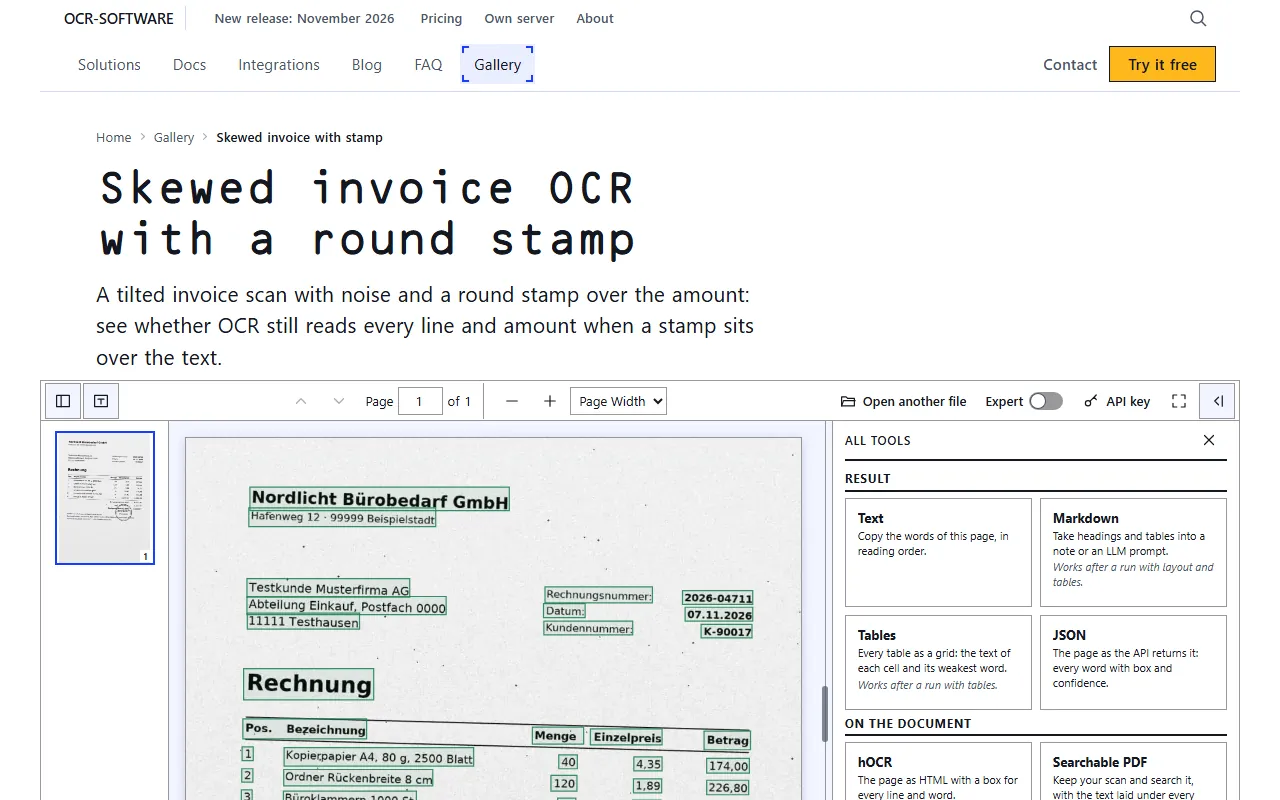
The hosted viewer: every word in its box, one click to the text, the tables, the JSON or the searchable PDF.
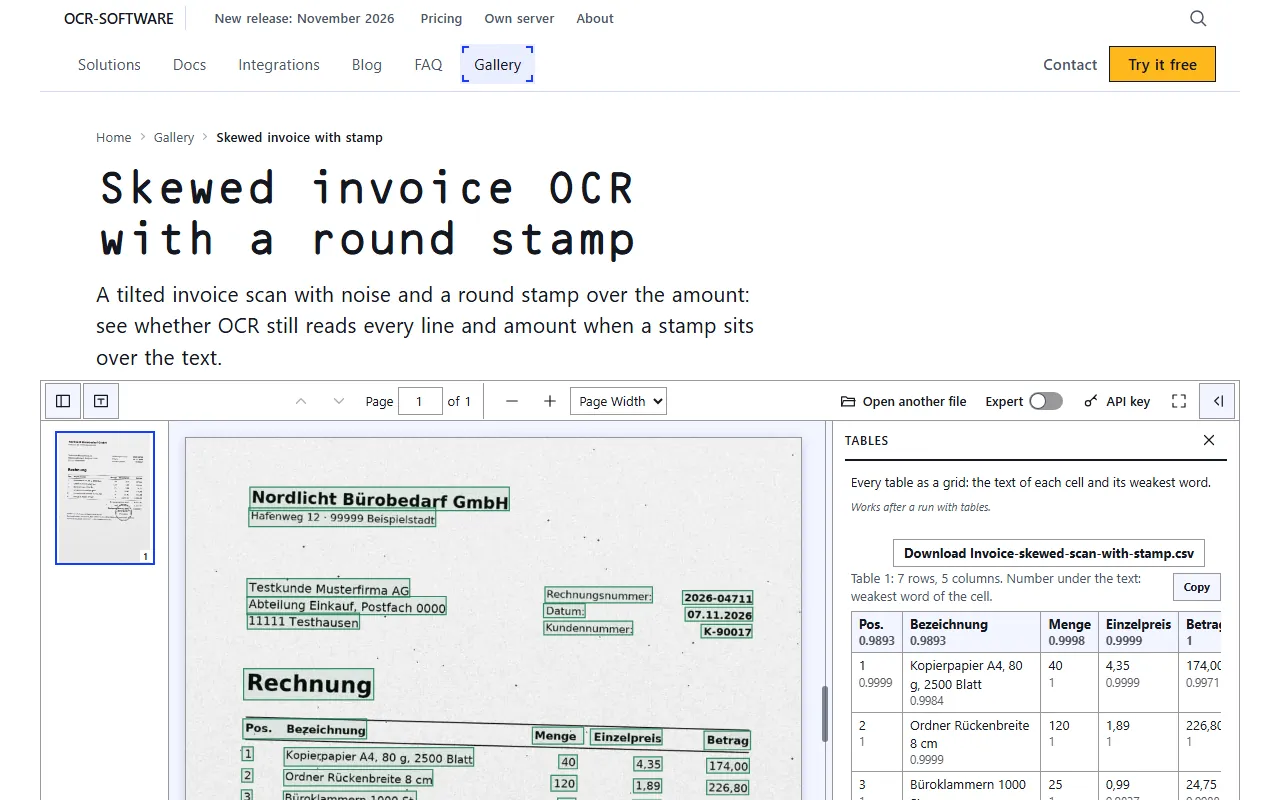
Tables as a grid. The number under a cell is the confidence of its weakest word.
Get the OCR viewer: AGPL-3.0 on GitHub
The viewer is public at github.com/ocr-software/ocr-viewer. The folder holds ocr-viewer.js, ocr-viewer.css and an example with a synthetic invoice. The license is AGPL-3.0: use it as it is, or change it for your own use, and nothing has to be published. Change it and offer it to others, or build it into a product, and the changes go public under the same license, or you ask for a commercial license.
Run the OCR viewer on localhost
A browser does not load JSON files from file://, so the folder is served over http. Python is enough:
git clone https://github.com/ocr-software/ocr-viewer
cd ocr-viewer
python -m http.server 8000
Open http://localhost:8000/example.html. The page shows the example invoice with its word boxes. The page also carries the preview of fields with word boxes as proof.
Show your own OCR result in the viewer
The viewer needs two things: the result of the API and the page image. Send the page, wait for the job, fetch the result in json:
curl -s -X POST "https://api.ocr-software.com/v1/jobs?pipeline=scan-ctc@2&formats=json" \
  -H "Authorization: Bearer $OCR_KEY" --data-binary @page.pdf   # note the job_id
curl -s "https://api.ocr-software.com/v1/jobs/$JOB_ID/result?format=json" \
  -H "Authorization: Bearer $OCR_KEY" -o result.json            # when the job is done
A key is free at the order page. The calls are the ones of the API guide.
Embed the OCR viewer in a web page
Save result.json and the page as page.png in the served folder, then mount the viewer in any page:
<link rel="stylesheet" href="ocr-viewer.css"><div id="v"></div><script src="ocr-viewer.js"></script>
<script>OcrViewer.mount(document.getElementById("v"), {result: "result.json", image: "page.png"});</script>
The viewer fetches the result and the image you name and nothing else. Keep the key out of the page: fetch the result on your server and hand the viewer the JSON.
Use the OCR viewer with your own OCR server
The package on your own server answers the same calls as the hosted API, on http://127.0.0.1:8080 by default. Put that address into the two curl lines above and the rest stays unchanged: the same JSON, the same viewer. The steps are in Install a self-hosted OCR API. If the pages must not leave your network, the viewer and the server can both stay inside it.
No folder to serve: the hosted OCR viewer
The hosted OCR viewer takes a PDF or a photo in the browser and shows the same boxes, with a searchable PDF to download. One page is free without a key.
Scope
The steps were run on one machine with the example folder of the viewer repository (14 Nov 2026). The preview of fields, split and document type is free and its quality is still improving. Contributions from outside are not accepted yet.
Production use, high volume or your own server?
Private use and tests are free. For a company in production, a server of your own or a pipeline built on your pages, send the kind of page and the volume, and get a written offer.
